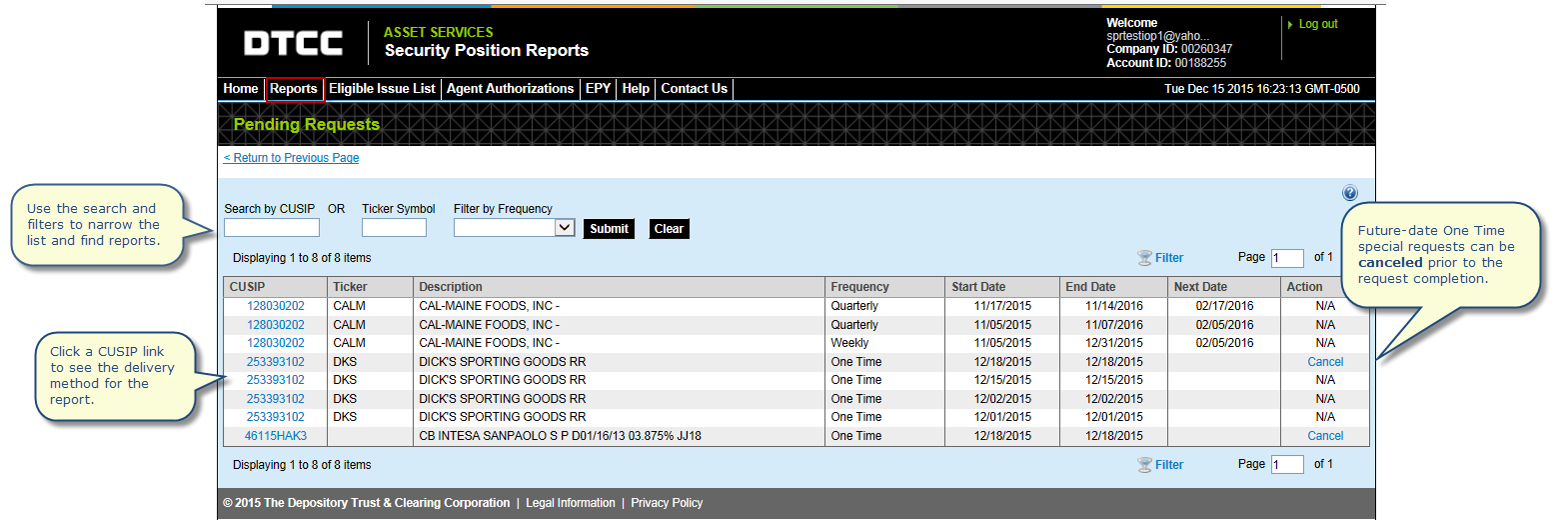
The Pending Requests page allows you to view special request orders. Special requests are available as of a specific date (i.e. One Time) or timeframe (e.g. Monthly, Quarterly).
If you recently ordered a special request, the order details appear in Pending Requests until the report is completed. To cancel a future-date One Time special request prior to the report start date, go the pending requests page and click the Cancel link in the Action column. To view special requests, go to the Completed Reports page or view your reports from the Dashboard.
This page also contains search, filter and page-through features.
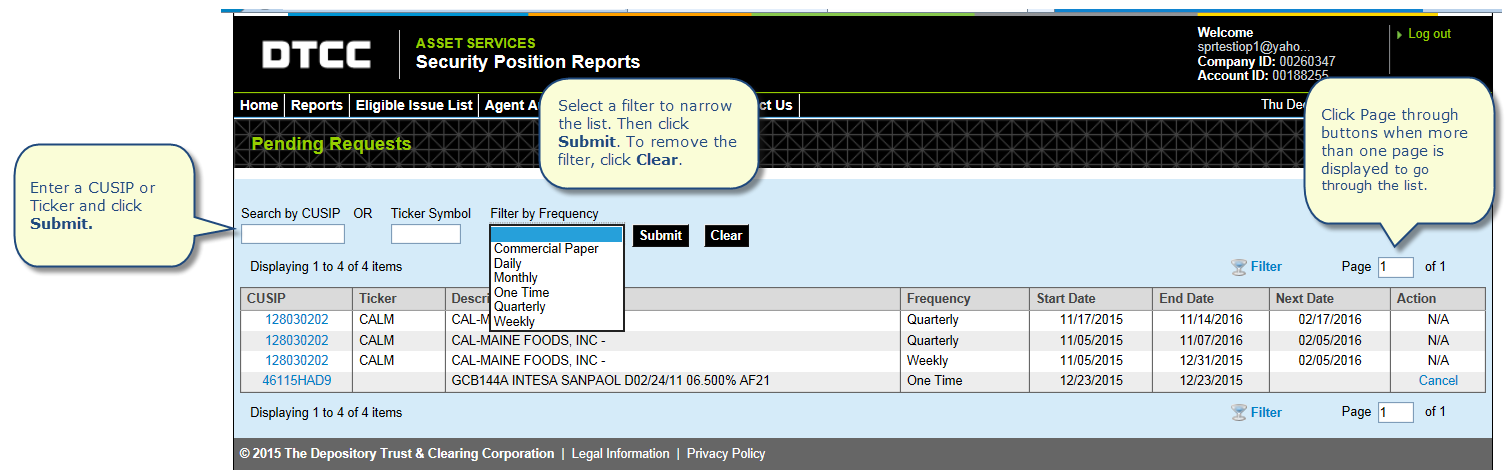
Use features such as search, filter and sort to do the following:
Find pending orders for special request reports grouped by frequency. For example you can view reports generated once by selecting One Time and clicking Submit.
Narrow the list to a single CUSIP or Ticker.
Re-sort any of the column headings from ascending to descending order by clicking on them. Click again to return to original order. For example, to sort by Start Date, click Start Date.
Click Page through buttons when more than one page is displayed to go through the full list.