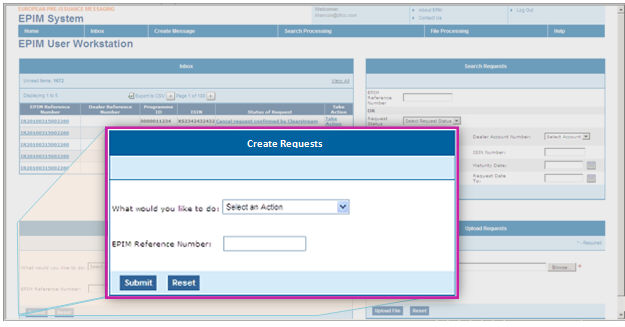
Dashboard Create Requests Area
The dashboard Create Requests area allows you enter an EPIM reference number and select from a drop-down menu to create a request for an ISIN or to update, cancel, markup, or markdown a completed ISIN request.
What would you like to do? - Select the type of request you want to initiate.
EPIM Reference Number - Type the EPIM reference number if this is an update, cancel, markup, or markdown request.
Tip: You can copy and paste the EPIM reference number for completed requests for greater accuracy. For example, move your mouse over a number in the inbox area to highlight a number
Dealers can create requests for ISIN number assignment for ECPs, ECDs, and EMTNs. The fields you must enter will vary according to the product type, your role, and the transaction type. For example, medium term note (EMTN) requests for original ISINs require you to provide some additional information.
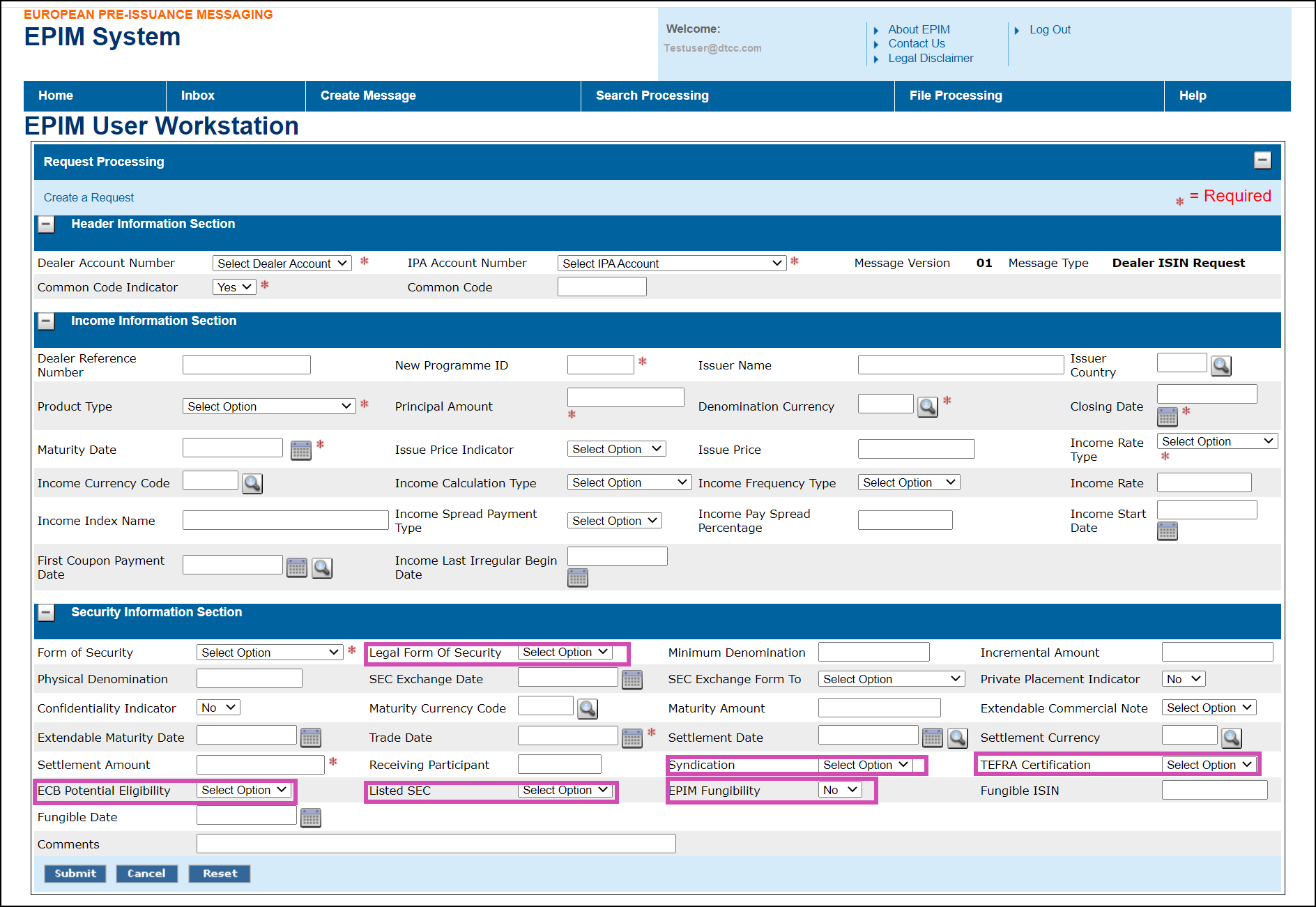
These fields become mandatory if you are requesting an EMTN
Click Create Requests
on the EPIM Workstation menu bar link.
The Create a Request page is displayed. The Header, Income, and Security
Information sections can be collapsed or expanded by clicking the
(-) or (+) icons.
Select and type the required information.
Required fields are marked with a red
asterisk (*).
Required fields are different depending on the product type you select.
Field level Help is available for certain fields. Click the (?) icon
next to a field to see the valid values for this field.
You may also add optional information in fields that are not required.
The fields you must enter will vary according to the product type,
your role, and the transaction type. For example, medium term note
(MTN) requests for original ISINs require you to provide some additional
information.
After you have entered the desired information, click
Submit.
The information is submitted to the EPIM hub to be edited for syntax.
Note: EPIM edits for syntax requirements. For instance, EPIM
checks that a valid calendar date is entered with numeric characters
in European format. However IPAs and ICSDs are responsible for verifying
the content and accuracy of data.
If EPIM detects syntax errors, you will receive a
reject notification from the hub that the record requires corrections.
Perform the corrections and resubmit the request. Tip: Display the
message from your inbox or search and click Correct under the Take
Action column.
If there are no syntax errors, a success message is
displayed at the top of the page and the EPIM reference number is
assigned. This unique identifier will stay with the request throughout
the request lifecycle.
Tip: As a best practice, please note this number because it
is the primary key to locating this request.
The request is sent to the IPA for enrichment and
confirmation and then to the ICSD for ISIN assignment.
Dealers may view their new ISIN requests in their
inboxes with the status "Original ISIN Request Pending IPA Action."
All interested parties can monitor the progress of the request from
their inboxes or by searching for the request.
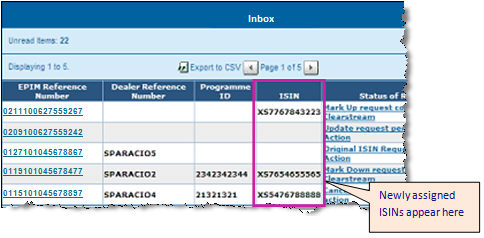
When the ISIN number is assigned, it appears in Dealer,
IPA, and ICSD inboxes under the ISIN column.