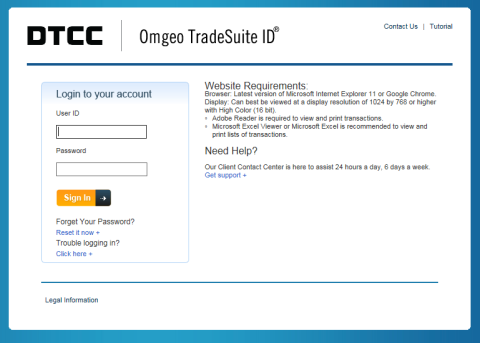
TradeSuite ID on the Web supports the latest versions of both Microsoft® Internet Explorer version 11 and Google Chrome. To ensure that the TradeSuite ID on the Web application functions correctly, upgrade to these versions.
Use one of the following URLs to access TradeSuite ID on the Web:
You receive your user ID in an e-mail from Omgeo. For your initial access, use the temporary password that you receive from your Product Administrator. After using one of the URLs to access TradeSuite ID on the Web, type your user name and password in the corresponding fields shown in Figure 1.
|
|
If you are having trouble logging in to your account, click Click here to access the troubleshooting page. If you forget your password, you can reset it.
To reset your password:
If your email address corresponds with an existing user account, Omgeo sends an email to you with instructions about how to reset your password. If you do not receive the email or have issues resetting your password, click Talk to Us or visit http://www.omgeo.com/support to contact support.
Copyright © 2017. The Depository Trust & Clearing Corporation ("DTCC") All rights reserved.
DTCC Controlled Non-Confidential (Green)