Note: This screen shot and all information displayed is for example purposes only.
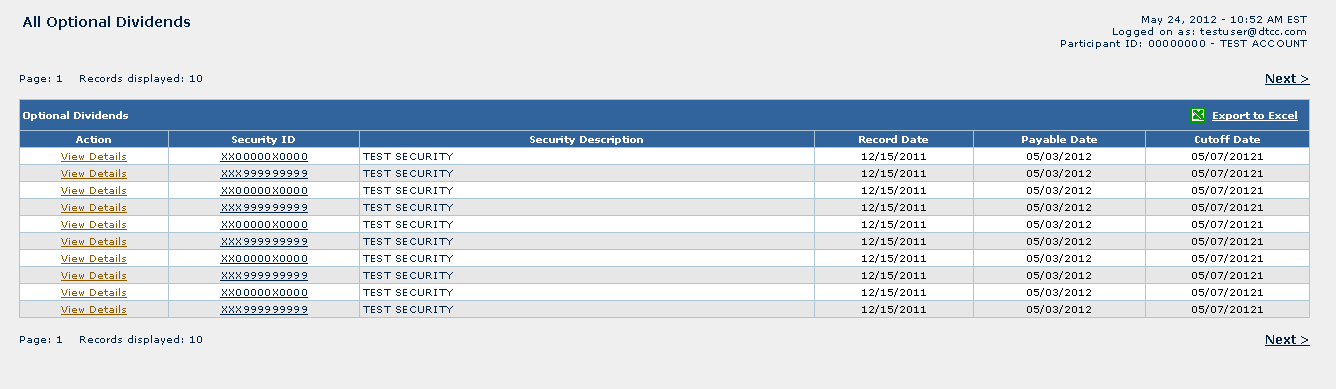
All Optional Dividends screen displays All Optional Dividends which are passed the capture date for eligible positions. Both a long and short participant can view their captured positions. Additionally, a long participant with position may then assign shares to options other than the default.13 A short participant can view its final liability after election cutoff for their captured position.
The user can view positions by clicking the “View Details” hyperlink of the “Action” column.
This list may be exported to Excel by clicking on the ‘Export to Excel’ link in the far right of the header.
Name |
Description |
Table |
|
Action |
“View Details” hyperlink will navigate to the “Optional Dividend Details” screen. |
Security ID |
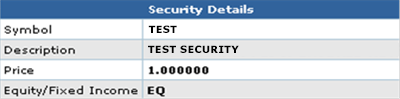
Displays the Security. When the user puts the cursor on this hyperlink, below is an example of the following data that will be displayed:
|
Security Description |
Displays the name of the security |
Record Date |
Displays the record date on which CNS positions will be captured for dividend payment. |
Payable Date |
Displays the date on which the Optional Dividend will be paid. |
Cutoff Date |
Displays the cutoff date on and after which no changes may be made to share assignments for options. |
Links |
|
Next |
Displays the next page of optional dividends. |
Previous |
Displays the previous displayed page of optional dividends Will not appear on the first page. |